Employee Self-Service: Portal, App or Full HR Workflow Platform?
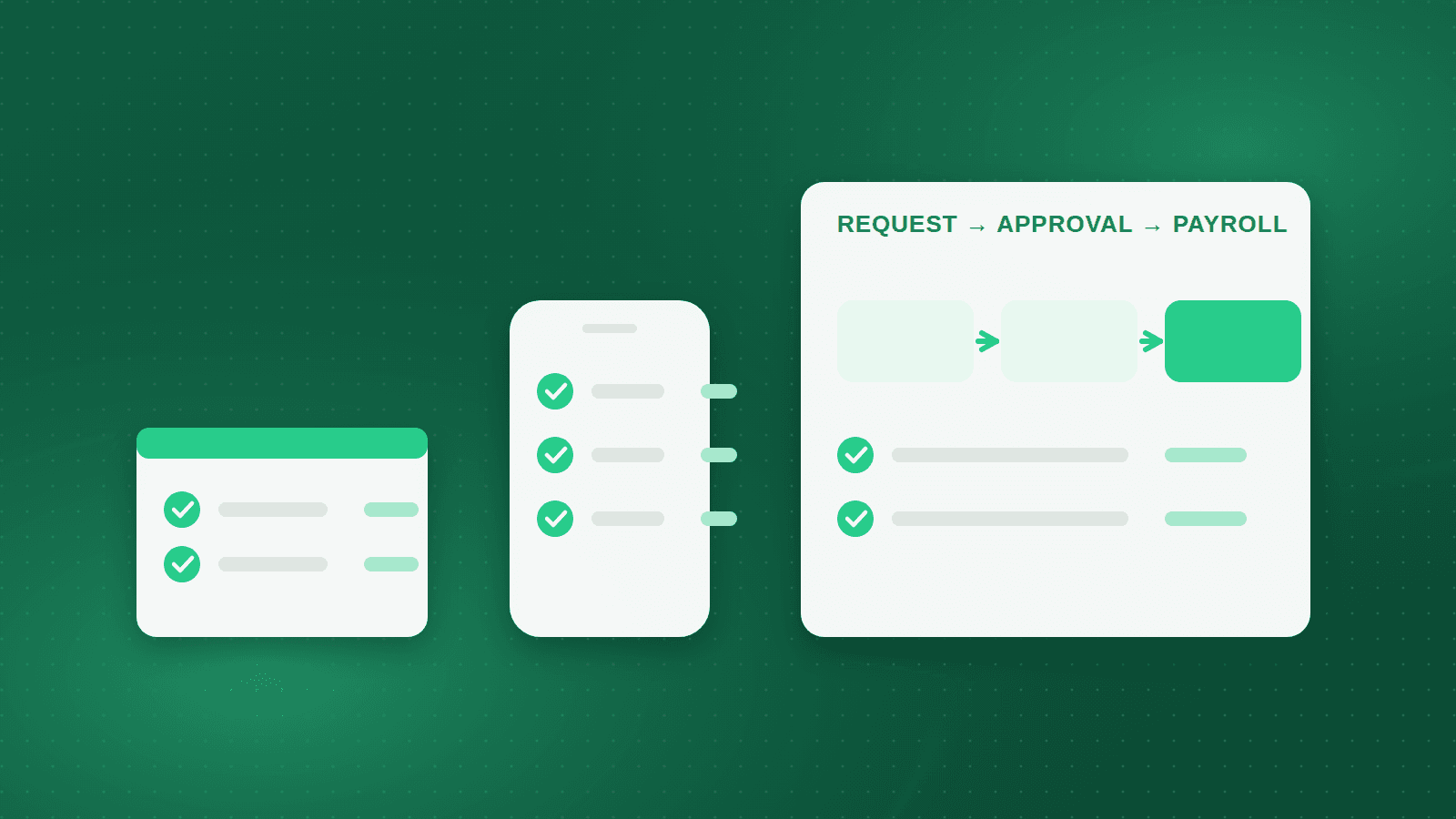
When an HR director says the organisation needs employee self-service, three very different things can be meant. One person pictures a web page where staff download a payslip. Another pictures a mobile app with a leave button. A third pictures a system where a request starts on a phone, travels through the right approvers, and ends as a posted line in payroll without anyone in HR re-typing it.
These are not three versions of the same feature. They are three tiers of capability, and each tier changes the workload of the HR team in a different way. The tier you buy decides whether self-service reduces work or simply moves it from a paper form to a screen.
This article explains the three tiers, what each one does for a workforce that is mostly deskless and Arabic-speaking, and how an organisation of 500 to 10,000 employees in Egypt, Saudi Arabia or the wider Gulf can judge which tier it actually needs.
Tier one: the web portal
The first tier is a browser login where an employee can see their own data. Typically this covers payslips, leave balances, personal details and, in better versions, a request form that creates a ticket for HR. It is read-mostly. The employee looks; HR still acts.
The value is real but narrow. The queue at the HR window for payslip copies disappears. Questions about remaining leave days stop arriving by phone. For an office-based workforce with a PC on every desk, a portal on its own can be enough, at least for the first year.
The limits appear the moment the workforce is not at a desk. A machine operator, a store assistant or a site engineer does not have a browser open during the shift. Requests submitted through a portal form often land in an HR inbox and are processed by hand, so the transaction has changed shape but not owner. If the portal is not in Arabic, a large share of employees will never log in at all.
Tier two: the mobile app
The second tier moves the same functions to a phone and adds what only a phone can do. An employee can punch in from a location the company has geo-fenced, photograph a medical certificate and attach it to a sick-leave request, and receive a notification the moment a manager approves. A supervisor can approve from the factory floor instead of returning to an office PC at the end of the day.
For deskless workforces this tier is the difference between a self-service programme that exists and one that is used. Almost everyone has a phone. Almost nobody on a production line has a company email address or a desk. The app must therefore accept a phone number or employee number for login, work in Arabic by default, and demand as little typing as possible.
The trap is an app that is only a thin shell over the portal. It shows balances and payslips, but the request still ends in an email and the approval still happens in a chat group. Before buying, ask to follow one request from the phone to its final effect. If that effect is a spreadsheet row somebody in HR must copy into payroll, the app is tier two in appearance and tier one in substance.
Tier three: the complete workflow platform
The third tier is not a screen at all. It is a data model in which the request, the approval chain, the employee record, the attendance calendar and the payroll period are one system. A leave request checks the balance at submission, routes to the approvers defined in the organisational structure, deducts the balance on approval, marks the days as excused in attendance, and is visible to payroll without any re-entry.
The same pattern applies to every transaction that touches pay or the employee file. An overtime request approved by a supervisor becomes overtime hours in the pay period. A loan or advance request approved by finance becomes a deduction schedule. A request for an HR letter for a bank or embassy is generated from a template with the employee's own data, approved, and delivered as a signed PDF in Arabic or English, with no Word document opened by anyone.
In Orgarise the self-service portal and the mobile app sit on the same record as the Personnel, Attendance and Payroll modules, so an approved leave, overtime or letter request posts to the employee file and the pay period directly rather than being exported from one system and imported into another. The portal and the app are the two front doors; the workflow behind them is what removes the work.
What deskless workforces need
Most large employers in the region are manufacturers, retailers, logistics operators, contractors or service providers, and most of their employees do not sit at a desk. Self-service design should start with those employees and treat office staff as the easy case, not the other way round.
Their needs are specific. Rotating shift calendars must appear correctly on the phone so an employee knows which shift applies this week. Ramadan hours must show as the reduced schedule, not as a shortage. Punching must respect the geo-fence of the plant or store and keep working when the same employee moves between sites. The language must be Arabic first, with English available for expatriate staff, and every screen must be usable by someone who types slowly on a small phone.
Alex Apparels illustrates the scale of the problem. Founded in Alexandria in 1995, the company employs around 5,000 people producing roughly 20 million garments a year across several factories in the Amria Free Zone, and runs recruitment, self-service and personnel on Orgarise. At that headcount nearly every employee is on a production floor, so a self-service tier that assumes a desk would reach only a small fraction of the workforce.
Adoption: why self-service projects stall
Many self-service launches fail quietly. The system goes live, a few hundred people log in during the first month, and by the third month employees are back at the HR window. The causes are usually the same. The interface was in English. Requests took longer through the system than by walking to HR. Managers did not approve on their phones, so requests sat for days. Leave balances loaded from the old system were wrong, so employees stopped trusting the numbers.
The fixes are operational rather than technical. Start with payslips, because every employee wants them and they require no approval. Bring managers onto mobile approvals before the employee side opens, so the first requests are answered fast. Reconcile balances before launch, not after. Then set a rule that HR no longer accepts paper for any transaction available in the app, and measure the share of requests arriving through the system each month.
What changes for the HR team
When tier three works, HR work changes character. Transactions are no longer typed in; they are reviewed when they are exceptions. The HR team becomes the owner of the approval chains, the letter templates and the request forms, and spends its time on data quality, policy and the cases the system flags rather than on data entry.
Payroll changes too. Manual adjustments fall because overtime, leave and deductions arrive already approved and already attached to the right period. The payroll team's time moves to validation before the run and to explaining variances after it. That is a better use of experienced staff than re-keying approvals from email.
The reverse is also true. A tier one or tier two deployment that is not connected to payroll adds a system to reconcile without removing any of the previous work. In Orgarise the letter, form and approval-chain designers are configured by the HR team itself, which matters because request types change every year, and waiting for a developer to change a form is how portals fall out of use.
Questions to ask before you buy
Ask the vendor to demonstrate one leave request from a phone in Arabic, through supervisor approval, to the payslip, and count how many times data is re-entered along the way. Ask what happens when the balance is insufficient, when the approver is on leave, and when the employee works a rotating shift. Ask whether an employee without a corporate email can log in.
Then ask about the back office. Can HR edit the letter templates and approval chains without a change request? Does geo-fenced punching live in the same app as requests, or is it a separate product? Can the app show Ramadan hours and shift calendars? How are terminated employees' access and final letters handled? The answers place the product on the three-tier scale more reliably than the feature list does.
Takeaway: buy the workflow, then open the portal and the app as its front doors
Choose five transactions that matter most in your organisation, such as leave, overtime, HR letters, loans and personal data changes. Map how each one moves today, from the first request to its effect on pay or the file. Then require any system you evaluate to run those five end to end in front of you. The portal and the mobile app are how employees reach the system; the workflow underneath decides whether HR gets its time back.
Frequently asked questions
Is a mobile app necessary if most employees work in an office?
Not always. An office workforce with a PC per employee can be served by a web portal for viewing and requesting. The app becomes essential when managers travel or when any part of the workforce is on a shop floor, in stores or on sites, because approvals and punching then need to happen away from a desk.
How do employees without a company email log in to self-service?
A workable system allows login with an employee number or a verified mobile phone number, with HR able to reset access. This matters in manufacturing and retail, where most staff never receive a corporate mailbox. Ask the vendor to show the login flow for a production worker specifically.
What should self-service launch with first?
Payslips, because every employee wants them, they need no approval, and they prove the system is trustworthy. Leave requests come second, after balances are reconciled and managers are already approving on mobile. HR letters and loans follow once the first two are used routinely.
Does self-service reduce HR headcount?
It changes the work more than it removes people. Data entry and payslip distribution fall sharply, while time on data quality, policy configuration and exceptions rises. Most organisations redeploy HR staff to those tasks and to sites that previously had no HR presence rather than cutting the team.
Alex Apparels — ~5,000 employees
Egypt's leading apparel exporter scales hiring and a large factory workforce while keeping HR paperless.
~5,000
Employees supported
20M+
Garments a year
Multi-factory
Sites in the Amria Free Zone
See how Orgarise handles this
A 30-minute demo on your own scenario, in Arabic or English.