How to Evaluate HR Software for 1,000+ Employees: A Scorecard
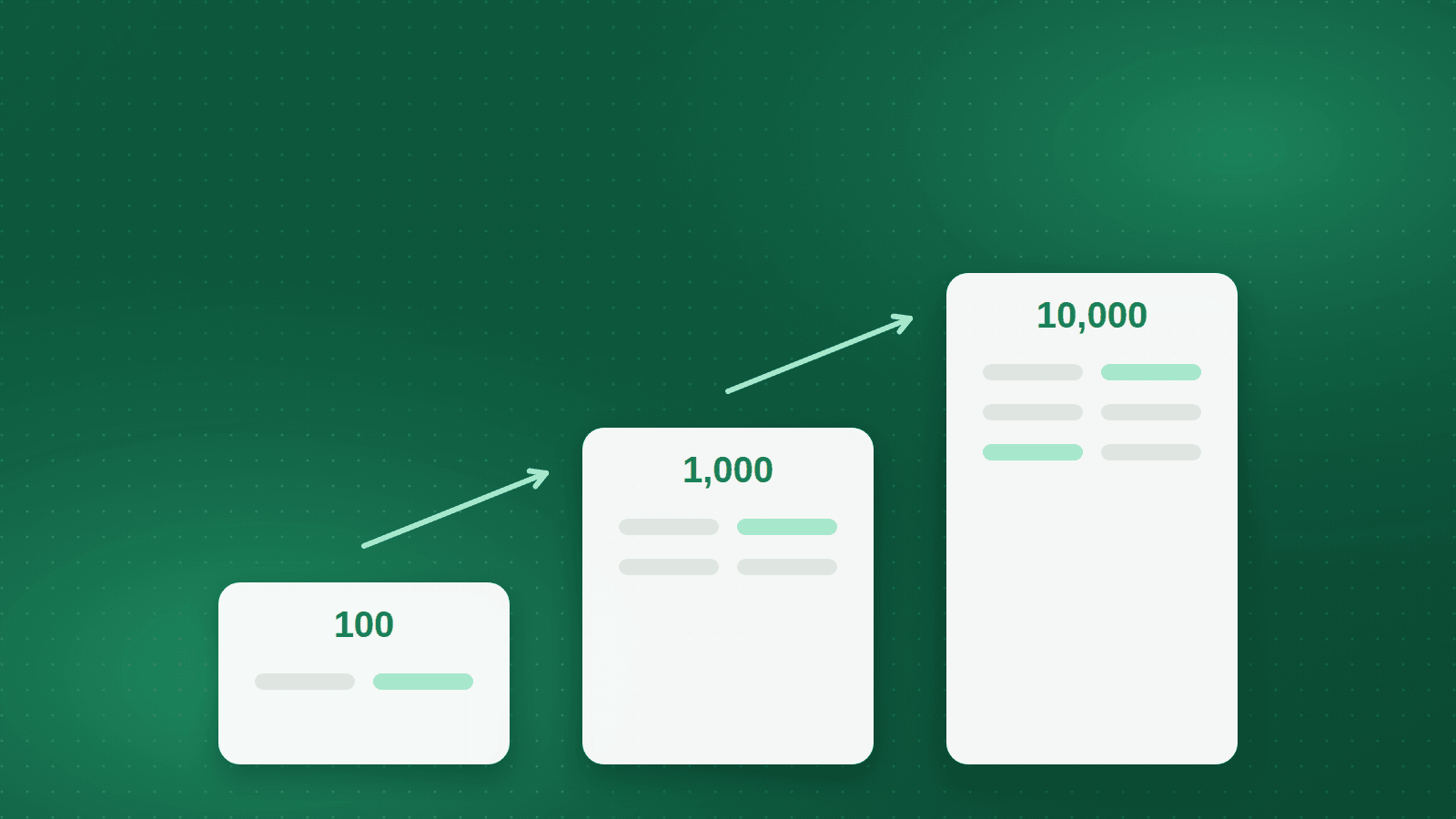
An HR system that works well for 100 people is usually not the system that works for 1,000, and rarely the one that works for 10,000. The features look similar in a demo. What changes is the number of entities, approval paths, attendance devices, salary structures and reporting questions the system has to hold at once, and how it behaves when all of them change in the same month.
This article is for HR directors, CFOs and IT leads in Egypt, Saudi Arabia and the wider GCC who are evaluating HR software for an organisation of 1,000 employees or more. It walks through what actually changes at each order of magnitude, then gives you an evaluation scorecard you can adapt to your own weighting.
The goal is not to find the system with the longest feature list. It is to find the one whose structure, localisation and support model match the way your organisation is actually built.
What changes between 100, 1,000 and 10,000 employees
At 100 employees, HR usually knows every person by name. One legal entity, one payroll, one approval path that runs through a single manager and the HR lead. Attendance is often tracked at a single site, and exceptions are handled by conversation. A simple system, or even a spreadsheet, can survive here because the memory of the HR team fills the gaps.
At 1,000 employees the memory runs out. There are typically several departments with their own shift patterns, more than one site, and a mix of staff, supervisors and workers whose pay is built differently. Approvals start to depend on grade and cost centre rather than on who sits nearest. The payroll run now has enough exceptions that a manual bridge between attendance and pay starts to produce errors that are found only after payment.
At 10,000 employees the organisation is usually a group: multiple entities, sometimes in more than one country, with different tax and social-insurance rules, different calendars and different contracts. The system has to keep those entities separate for compliance while giving leadership one consolidated view. The question is no longer whether a feature exists but whether it can be configured differently per entity without custom code.
Structure and approvals: does the system hold your org chart?
The first thing to test is how the system models your organisation. Ask to see how a legal entity, a business unit, a department, a position and a grade relate to one another. A large organisation needs positions that exist independently of the people filling them, so that a vacancy, a transfer or an acting assignment can be recorded without rewriting the employee file. Then test the history: move an employee between two departments with an effective date in the past and see whether the old department still reports correctly for the earlier period. Systems built for smaller companies often overwrite the record rather than versioning it, which means last quarter's headcount reports are quietly wrong.
Check multi-entity behaviour as well. Two companies in the same group may share a grade structure but have separate payroll and separate social-insurance registrations. The system should allow shared reference data with entity-specific rules, and it should let an authorised user see across entities without breaking the separation for everyone else.
Approvals follow the same logic. At 100 employees an approval is a message to the manager. At 1,000 it is a rule: leave requests go to the direct manager, then to the department head above a certain number of days, then to HR; salary changes go through the finance controller of the relevant entity. Ask the vendor to build one of your real approval chains during the demo, not a generic one, and look for delegation with effective dates so that a travelling manager does not stall the process.
Finally, look at where approvals live. If they exist only in the web interface, a factory supervisor who is rarely at a desk will approve late or not at all. Approvals through a mobile app, in Arabic and English, are a practical requirement for most industrial and distributed workforces in the region.
Attendance: devices, shifts and the posting to payroll
Attendance is where scale shows first. A single office may run one biometric device. A manufacturer with several plants will run dozens, of different models, some connected reliably and some not. Ask how the system collects punches from fingerprint and face devices, what happens when a device is offline for a day, and how duplicate or missing punches are corrected with an audit trail.
Shift calendars matter more than most buyers expect. Rotating shifts, night shifts that cross midnight, Ramadan hours in Saudi Arabia and Egypt, and public-holiday handling all change how overtime and shortage are calculated. A system that treats every day as a fixed nine-to-five will need workarounds that end up as spreadsheets beside it.
The critical test is the handoff to payroll. Ask the vendor to show a month where overtime, lateness and unpaid absence are calculated automatically and posted to the pay run without re-keying. Then ask what a payroll officer sees if they disagree with a figure: can they trace it back to the punches, and can they correct it in a way that leaves a record?
Orgarise, for example, handles fingerprint and biometric devices alongside web and mobile punches with geo-fencing, keeps rotating shift calendars and Ramadan hours as configuration, and posts calculated overtime and shortage directly to payroll. Giza Cable Industries, a cable manufacturer in Giza with more than 1,000 employees across several plants, runs attendance, payroll and personnel together on the platform for that reason: the attendance figures feed the pay run rather than being retyped into it.
Payroll: bands, engines and month-end confidence
A payroll for 1,000 people in Egypt has to apply progressive income-tax brackets, social-insurance contributions with an insured-wage floor and ceiling, and the obligations introduced by Labour Law 14/2025, including the mandatory annual increment on the social-insured wage. A payroll in Saudi Arabia has to apply GOSI contributions by nationality, the end-of-service award on the statutory scale, and produce bank payment files that satisfy the wage-protection process. Ask the vendor to show these rules as configuration, and ask how they are updated when the law changes.
Evaluate retroactive processing. Late approvals, backdated promotions and corrections to a previous month are normal at scale. The system should recalculate the difference and carry it into the current run rather than forcing a manual adjustment. Net-to-gross calculation is also worth testing if you hire on net salaries, which is common in the region.
Then ask about the salary structure itself. At 1,000 employees you will have several: monthly staff, daily-rated workers, commission-based sales, expatriates with allowances. If each of these requires custom code, every change becomes a project. Orgarise builds salary structures, approval chains and letters with built-in designers rather than custom code, and runs configurable tax and social-insurance engines for Egypt and Saudi/GCC; a built-in designer for salary structures is one of the clearest signs that a system was built for organisations of your size.
Reporting, documents and the audit trail
Reporting at scale is less about dashboards and more about being able to answer a question you did not anticipate. How many employees in entity B have contracts expiring within ninety days? What was overtime cost by plant last quarter? Which positions have been vacant for more than sixty days? Ask to run three of your own questions live during the demo.
Check the language of the outputs. Payslips, contracts, HR letters and reports in Arabic are a legal and practical requirement in Egypt and Saudi Arabia, not a nice-to-have. Egyptian labour law requires Arabic contracts in four copies, and employees across the region expect their payslip in the language they read. A system that is bilingual only in its menus will leave your team producing documents by hand.
Ask about audit trails as part of reporting. When a labour inspector, an auditor or a board member asks who changed a salary and when, the answer should be a report, not an investigation. Five-year record retention is now an explicit requirement in Egypt, so the system must keep history rather than overwrite it.
Support, implementation and the total cost of owning the system
Feature parity between vendors is often closer than it appears. The difference at 1,000 employees is what happens after signature. Ask who will configure the system, how long a typical go-live takes for your modules, and what the customer has to provide. A typical mid-market go-live on Orgarise is two to six weeks depending on modules and data; on any system it runs much longer when the data is not clean or the decision-makers are not available.
Ask about local support in your time zone and in Arabic. A payroll error discovered on the twenty-fifth needs an answer that day, not a ticket number. Ask whether the vendor has customers of your size in your country and whether you can speak to one.
Finally, understand the pricing structure rather than only the headline number. Cloud pricing per employee per month with volume bands behaves differently from a perpetual on-premise licence with annual maintenance, and both differ from an enterprise quote. Model the cost over five years, including implementation, integration with your ERP or finance system, and the internal time your team will spend.
A scorecard you can adapt
Score each vendor from one to five on eight criteria: organisational structure and history, approval configurability, attendance device and shift handling, payroll localisation for each country you operate in, bilingual documents and reporting, audit trail and retention, implementation approach and timeline, and local support. Weight the criteria to match your reality: a manufacturer with three plants will weight attendance heavily; a group with entities in two countries will weight payroll localisation and multi-entity structure.
Run the scoring on a scripted demo using your own data, your own approval chains and your own salary structures. Vendors who cannot show your scenarios in their own system within a reasonable preparation window are telling you something about the configurability of the platform.
The practical takeaway: test the seams, not the features
Every serious HR system will show you an employee record, a leave request and a payslip. What separates systems that work at 1,000 employees from those that do not is the seams: how the org structure holds history, how approvals follow real hierarchies, how attendance reaches payroll without re-keying, and how the whole thing behaves in Arabic under local law. Spend your evaluation time on those seams. The right system for your size is the one where those handoffs are configuration, not custom code, and where the support team has done it before in your country.
Frequently asked questions
Is 1,000 employees the point where a company needs a dedicated HRMS?
There is no fixed threshold, but around this size the HR team can no longer hold exceptions in memory, and the manual bridges between attendance, approvals and payroll start to produce errors. If month-end already relies on spreadsheets kept beside the system, the organisation has reached that point regardless of headcount.
Should we evaluate on features or on implementation?
Both, but weight implementation higher than most buyers do. Feature lists converge between serious vendors; the difference at scale is who configures the system, how long it takes, and whether the support team has done it in your country before.
How long should implementation take for a 1,000-employee organisation?
For a mid-market organisation implementing two to four modules, a few weeks is realistic when employee data is clean and decision-makers are available. Data migration and shift definitions are usually the longest steps, so prepare them before the project starts.
Do we need Arabic in the system if our management works in English?
Yes. Contracts, payslips and HR letters must be in Arabic for employees and regulators in Egypt and Saudi Arabia, and most of the workforce will use self-service in Arabic. Evaluate Arabic in documents and reports, not only in menus.
Giza Cable Industries — 1,000+ employees
A leading Middle-East cable manufacturer unifies attendance and payroll across its plants on one HR platform.
1,000+
Employees on one platform
LV–EHV
Production lines, low to extra-high voltage
Multi-site
Plants on one attendance calendar
See how Orgarise handles this
A 30-minute demo on your own scenario, in Arabic or English.