HRMS Implementation: Why the Most Powerful System Isn't Always Best
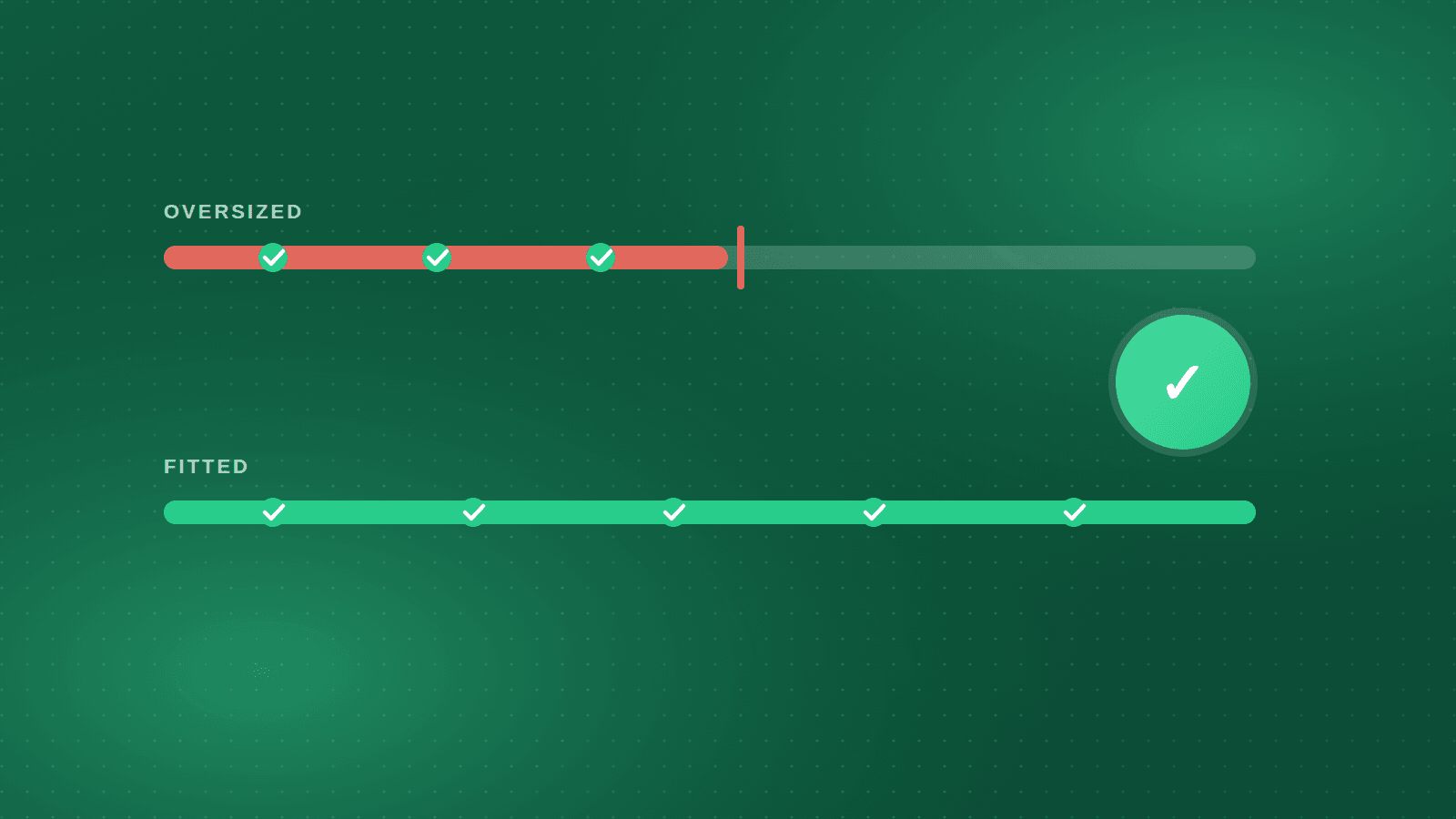
Selection committees are drawn to the longest feature list. It feels safe: if the system does everything, no future need will go unmet. But feature count is a poor predictor of whether the system will be live, accurate, and used twelve months from now. Implementation is where HR software projects succeed or fail, and implementation rewards fit, not power.
Fit means the system matches how your organisation is structured, where your employees work, what your payroll rules are, and how much change your HR team and your workforce can absorb at once. A system with fewer modules that runs your payroll correctly in month one, and that a shift supervisor in a factory can use from a phone, is worth more than a global suite that needs a year of configuration and a team of consultants to reach the same point.
This article looks at HRMS implementation from the customer's side: what a realistic timeline looks like, why data migration is the work nobody budgets for, how to bring a deskless workforce along, why parallel payroll runs are the only test that counts, and what a two-to-six-week go-live actually requires from you.
Fit over feature count
A feature used by nobody has no value, but it still has a cost. Every module that is switched on needs configuration, master data, training, and an owner. Every option in a form is a decision someone has to make. Large global suites are built to serve thousands of organisations across many countries, and that breadth shows up as complexity for each one of them. The question is not "can the system do it?" but "how much of the system do we need, and how quickly can we get that part running well?".
Fit has four dimensions worth writing down before you compare vendors. Structural fit: does the organisational model match your entities, plants, grades, and reporting lines without workarounds? Regulatory fit: does the payroll engine already know Egyptian tax brackets, the social-insurance floor and ceiling, and Labour Law 14 of 2025, or GOSI and end-of-service rules in Saudi Arabia, or will these be built for you as custom work? Workforce fit: can the people who will use it every day, including those without a desk or a company email address, actually use it in their language? Team fit: can your HR team configure and maintain it after the consultants leave?
Score candidates on these four before you look at the feature matrix. A system that fits on all four and lacks a module you might want in three years is a better bet than one that has the module and fails on regulatory fit today. Modules can be added later; a payroll engine that does not know your country cannot be fixed by a feature.
What a realistic timeline looks like
Vendors quote timelines that assume the customer is ready. Customers hear timelines and assume the vendor does the work. Both are wrong often enough that the first job of an implementation plan is to say who does what, by when.
A typical mid-market implementation runs in phases: scoping and configuration, data migration, testing including a parallel payroll run, training, and go-live with a period of close support. For an organisation with clean data and a standard set of modules, the whole sequence can take two to six weeks. For a group with several entities, years of payroll history to load, and attendance devices across many sites, it takes longer, and the honest answer to "how long?" depends on decisions the customer has not yet made.
Ask each vendor for a phased plan with the customer's tasks listed separately from the vendor's. Ask what happens to the date if data arrives late. Ask which modules they recommend going live with first and which can follow; personnel, attendance, and payroll usually form the first wave, with self-service, recruitment, and performance following once the core is stable. A vendor who wants to switch everything on at once is optimising for the contract, not for your go-live.
Data migration: the work nobody budgets for
Every implementation plan has a line called "data migration". Few have the right number of days next to it. Migration means assembling, for every employee, a correct and consistent record: personal data, contract terms, position and grade, salary components, bank details, social-insurance registration, leave balances, service dates, and often years of payroll history. In most organisations this data currently lives in three or four places that disagree with each other.
The disagreements are the real work. The spreadsheet says an employee joined in March; the insurance file says April. A grade exists in payroll that does not exist in the organisation chart. Leave balances were carried forward by hand and nobody is sure the carry-forward rule was applied consistently. None of this is the software's fault, and none of it goes away by choosing a more powerful system. It has to be resolved by people who know the answers, which means your HR and payroll staff, before or during migration.
Plan for it. Nominate a data owner per entity. Agree the cut-off date for balances. Decide how much history to load: opening balances only, the current year, or several years. Ask the vendor for their migration templates early and start filling them before the project formally begins. The organisations that go live in weeks rather than months are almost always the ones that started cleaning data before they signed.
Change management for a deskless workforce
Most HR software is designed and demonstrated for people at desks. Most employees in manufacturing, logistics, retail, construction, and services in the region do not sit at a desk, do not have a company email address, and may share a single device or use their personal phone. If the system only works for the office, the factory will keep running on paper, and HR will keep re-keying that paper.
Change management for this workforce is practical, not theoretical. It means a mobile app in Arabic that a machine operator can open on their own phone to see a payslip, request leave, and get a letter without visiting HR. It means supervisors approving from the shop floor. It means attendance captured by fingerprint or biometric devices at the gate, or by mobile punches with geo-fencing for field staff, so nobody has to fill in a sheet. And it means the first thing employees see in the app is something that benefits them, usually their payslip, so that adoption is pulled by demand rather than pushed by memo.
Alex Apparels illustrates the scale of this. Founded in Alexandria in 1995, it employs around 5,000 people across multiple factories in the Amria Free Zone, producing around 20 million garments a year. A workforce of that size and shape cannot be served through a desktop portal; it runs recruitment, employee self-service, and personnel on Orgarise, with a bilingual portal and mobile app that put payslips, leave, letters, and approvals in every employee's hands.
Roll out in waves: one plant or one department first, learn from it, then extend. Train supervisors before employees, because employees ask supervisors, not HR. Keep the old channel open for a defined period and then close it; a system that runs in parallel with paper forever is not implemented.
Parallel payroll runs: the only test that counts
Feature demonstrations tell you what the system can do. A parallel payroll run tells you whether it does it correctly for your employees. The method is simple. Take one full payroll month. Run it in the current system as usual. Run the same month in the new system with the migrated data. Compare every employee's gross, every deduction, every contribution, and net pay, and explain every difference.
The differences fall into three groups. Some are migration errors: a wrong salary component or a missing allowance, fixed by correcting the data. Some are configuration errors: a tax bracket or insurance ceiling set wrongly, fixed by correcting the setup. And some are errors in the old system that the new one has exposed, which happens more often than anyone expects and is one of the quieter benefits of the exercise. Only when the run reconciles, or every difference is explained and accepted, is payroll ready to go live.
Plan for at least one full parallel run and prefer two, especially where retroactive adjustments, mid-month joiners and leavers, or Ramadan hours are involved. Include the outputs, not just the totals: check the bank payment file against what the bank accepts, the payslips in Arabic and English, and the social-insurance and tax reports. Orgarise supports retroactive and net-to-gross calculation and generates bank payment files, which are exactly the outputs a parallel run should test.
What a two-to-six-week go-live requires from you
A short go-live is not a vendor promise; it is a shared plan with obligations on both sides. On the customer's side, the following need to be in place. A single decision-maker for HR policy questions, available daily during the project, because configuration stops every time a question about a rule waits for a committee. Clean master data in the vendor's templates, signed off by the data owner for each entity. A written list of salary components, allowances, deductions, and the rules behind them, including the ones that exist only in someone's head today.
It also requires attendance devices and shift patterns documented and, where devices are new, installed before configuration starts. A test group of employees and managers who will use self-service during testing and report what confuses them. Time set aside for training, not squeezed into lunch breaks. And a defined go-live month with the parallel run scheduled the month before.
When these are ready, configuration over custom code is what makes the short timeline possible. Salary structures, approval chains, appraisal sheets, letters, and forms are set up with built-in designers rather than written as code, so a rule change during testing is an afternoon's work rather than a change request. This is the practical reason a system that fits can go live in weeks while a more powerful one is still in workshops.
Takeaway: choose the system your organisation can actually run
Before the final decision, write two lists. The first is what the system must do correctly in the first payroll month: your entities, your rules, your documents in your languages, your attendance sources. The second is what your organisation must do to get there: the data owner, the cut-off date, the parallel run, the supervisor training. If a candidate system makes the second list longer in order to satisfy the first, it is more powerful than you need.
The best choice is the system that fits those two lists with the least custom work, from a partner who has done it in your country and will still be there in month three. Power you cannot implement is not power. Fit you can go live with in weeks is.
Frequently asked questions
How long does an HRMS implementation take?
For a mid-market organisation with clean data and a standard module set, two to six weeks to go-live is realistic. Multi-entity groups, long payroll histories, and many attendance sites extend that. The largest variable is how quickly the customer supplies and signs off its data.
Should we migrate full payroll history or only opening balances?
Load opening balances and the current year at minimum, so that year-to-date tax and insurance figures are correct from the first run. Load older history only if you need it for reporting or end-of-service calculations, because every extra year adds cleaning work before go-live.
How many parallel payroll runs do we need?
At least one full month, and two where you can afford it. A second run catches issues that only appear with joiners, leavers, retroactive changes, or a different month's overtime pattern. Do not go live until every difference is either fixed or explained and accepted in writing.
Is it better to go live with all modules at once or in phases?
Phases, almost always. Personnel, attendance, and payroll form the core and should go live together because they depend on each other. Self-service, recruitment, and performance can follow once the core is stable and the first payroll has reconciled.
Alex Apparels — ~5,000 employees
Egypt's leading apparel exporter scales hiring and a large factory workforce while keeping HR paperless.
~5,000
Employees supported
20M+
Garments a year
Multi-factory
Sites in the Amria Free Zone
See how Orgarise handles this
A 30-minute demo on your own scenario, in Arabic or English.